PowerPoint Backgrounds Of 3D Rings

Red Rings PowerPoint BackgroundPink Rings PowerPoint BackgroundOrange Rings PowerPoint BackgroundLight Blue Rings PowerPoint BackgroundGreen Rings PowerPoint BackgroundBlue Rings PowerPoint BackgroundBlack Rings PowerPoint Background

With these snazzy new PowerPoint backgrounds, our designers symbolise “sequential progression in a cyclical process”. Cerebral, or what? To see this better, click on a background to open it up in PowerPoint, press F5 to actually start the presentation (or click Slide Show > From Beginning) and press enter to advance to the next slide. You can see that the ring segment that is coloured progresses around the ring. Sort of like a sequential progression. In a cyclical process.

Well, it made sense when our designers told me!

We have a variety of yummy colours for you to choose from. Click on a background to open up its template in PowerPoint and then add your content to it, ready for the awe inspiring presentation you have to deliver tomorrow. What, you didn’t get the memo??

You can save the template to your computer for future use.

Chrome Ball PowerPoint Backgrounds

Chrome Ball PowerPoint Background 1

Chrome Ball PowerPoint Background 2

Chrome Ball PowerPoint Background 3

Chrome Ball PowerPoint Background 4

Chrome Ball PowerPoint Background 5

Woah! Just look at these! If you like shiny and if you like chrome, then you’ll love these shiny chrome ball PowerPoint backgrounds. They’re so realistic.

That’s because they’re real.

The second background shows a vampire shiny chrome ball, or something, for obvious reasons.

If you like the look of a background, click on it and it will open up the template in PowerPoint with that background already applied. It doesn’t get any easier than this! You can then change your presentation how you see fit (not forgetting to save it to your PC first), and use it over and over again.

Cubes PowerPoint Backgrounds

Cubes PowerPoint Background 01

Cubes PowerPoint Background 02

Cubes PowerPoint Background 03

Cubes PowerPoint Background 04

Cubes PowerPoint Background 05

Cubes PowerPoint Background 06

Cubes PowerPoint Background 07

Cubes PowerPoint Background 08

Cubes PowerPoint Background 09

Cubes PowerPoint Background 10

Cubes PowerPoint Background 11

Cubes PowerPoint Background 12

Cubes PowerPoint Background 13

Cubes PowerPoint Background 14

Cubes PowerPoint Background 15

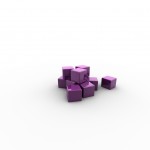
You know what designers are like. You mention that you want some PowerPoint backgrounds with 3d cubes on and the next thing that happens is that you get deluged with 15 of them! Their OCDs make them take shots from a multitude of different angles and use a myriad of different colours.

They went cube mad.

Still, they look pretty good in a PowerPoint presentation, and that’s what they’re for. If you are also obsessed with cubes, download these free PowerPoint backgrounds and use them in your own presentations. They’re not just images; we’ve actually inserted them into presentations already, so you don’t have to.
Clicky clicky on an image to open up the presentation in PowerPoint, save it to your PC and then amend it until the cows come home (that’s usually around 17:30 GMT).

Stay tuned for more OCD powered backgrounds.

New Batch Of PowerPoint Backgrounds

PowerPoint Background 1

PowerPoint Background 2

PowerPoint Background 3

PowerPoint Background 4

PowerPoint Background 5

Check out our new batch of five free PowerPoint backgrounds. “Five?”, I hear you say. I know. You’re used to us publishing batches of 10 or more backgrounds for you to download for free, and all our designers can muster is a measly collection of five. But don’t worry, they have all been grounded, with limited access to the communal Wii. Hopefully they’ll learn their lesson and make up for their slacking with a monumental selection of PowerPoint backgrounds next time.

Otherwise it’s the pliers.

As usual, open up each PowerPoint template by clicking on its image above. You can then save it to your PC and amend it to fit the needs of your presentations. And, of course, they’re all FREE!

More Free PowerPoint Backgrounds

Yellow PowerPoint Background

Orange PowerPoint Background

fuschia PowerPoint Background

Red PowerPoint Background

Blue PowerPoint Background

Green PowerPoint Background

Our new PowerPoint backgrounds look good enough to eat! And we have a fine selection of flavours: yellow, orange, fuschia, red blue and green. All backgrounds are light enough to use standard black fonts and have your text still legible.

Click on the image you like (or all of them) to open it in PowerPoint. You can then amend the presentation, save it to your computer and then use it again to charm your audience.

Discs PowerPoint Backgrounds – Free

Discs PowerPoint Background 1

Discs PowerPoint Background 2

Discs PowerPoint Background 3

Discs PowerPoint Background 4

Discs PowerPoint Background 5

Discs PowerPoint Background 6

Discs PowerPoint Background 7

Discs PowerPoint Background 8

Discs PowerPoint Background 9

Discs PowerPoint Background 10

Discs PowerPoint Background 11

Discs PowerPoint Background 12

Discs PowerPoint Background 13

Discs PowerPoint Background 14

Discs PowerPoint Background 15

We called these Discs PowerPoint Backgrounds, because we couldn’t decide whether they looked like smarties or not. In the end, we chose discs, but you call them what you want. The important thing to remember is that they are FREE PowerPoint backgrounds!

For those astute PowerPoint users out there, you’ll notice that some of the backgrounds have what’s called depth of field (DOF); where the “subject” is in focus and the background becomes more and more blurred the further away it is.

We digress! Open up the backgrounds in PowerPoint by clicking on each of the images above. You can then save them to your computer and amend them to fit your needs. Some of the backgrounds are a little dark, and may need a lighter coloured font, but we have every faith in your colour scheming abilities. Trial and error is the key. There are one or two backgrounds that are much lighter and you could probably get away with using a black font for your text on those.

Dice PowerPoint Backgrounds

Dice 01

Dice 02

Dice 03

Dice 04

Dice 05

Dice 06

Dice 07

Dice 08

Dice 09

Dice 11

Dice 12

Dice 13

Dice 14

Dice 15

Dice 16

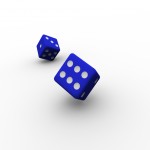
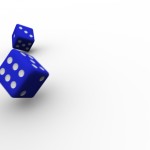
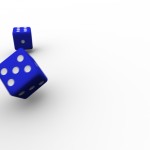
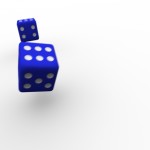
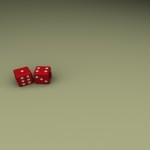
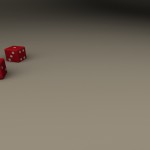
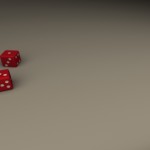
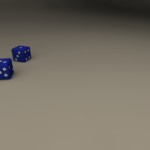
If you like gambling, you’ll love these photo-realistic Dice PowerPoint Backgrounds. In fact, you’ll love them even if you loathe gambling. They’re that good.

All our designers have OCDs and when we give them a project such as “create PowerPoint backgrounds with dice in them”, they tend to explore all the angles, experiment with colours, dabble with depths of field and even widen camera angles to a crazy degree.

Some backgrounds are pretty minimal and comprise large areas of white space; ideal if you want a clean, minimal presentation design, or you just like black type on a white background. Others have darker backgrounds that may warrant lighter coloured fonts. It’s your call. And it’s probably best if you experiment with your font colours, anyway. Don’t be put off by the fact that some of the images above appear cut off, as they are cut off! When you open them in PowerPoint, you’ll see the background in its entirety.

We’ve got blue dice, red dice, green dice, purple dice, dice with motion blur, dice with depth of field etc. Open the backgrounds up in PowerPoint by clicking on their image, save them to your computer and modify them to fit the needs of your presentations. They’re all free to download.

Business Template For PowerPoint

Business Template For PowerPoint

Nothing says “professional” more loudly and clearly than a business template for PowerPoint. If you deliver a polished presentation using a slick business template, your audience is more likely to sit up and listen, and take you seriously.

This PowerPoint template features a skyscraper that whispers “corporate”, and sombre, straightforward colours (ok, blue!). No distracting animations or extraneous to get in the way, here!

To open up the template in PowerPoint, click on the image above. You can then amend it to your needs (not forgetting to save it to your computer first) and use it in your next corporate presentation. You’ll probably need to alter the colour of your font, too, to make it stand out. We suggest a light yellow or pale green, to contrast nicely with the blue.

Shiny Chains PowerPoint Backgrounds

Shiny Chains PowerPoint Background  1

Shiny Chains PowerPoint Background  2

Shiny Chains PowerPoint Background  3

Shiny Chains PowerPoint Background  4

Shiny Chains PowerPoint Background  5

Shiny Chains PowerPoint Background  6

Oh boy, if you like shiny reflections, you’re going to love these shiny chains PowerPoint backgrounds! The word “shiny” doesn’t quite do justice to the reflective nature of these chains. The second and third background (in the blue category) look the same, but they are subtly different – can you tell why? There is some depth of field present on the second blue background. This means that some areas of the image are in sharp focus, whereas other areas are a little blurry. Just like in the real world.

As always, you can download these PowerPoint backgrounds FREE Of CHARGE! Simply click on an image above and the background will open up in PowerPoint, where you can amend the presentation how you see fit. Don’t forget to save it to your computer, or you’ll lose all your changes.

We never give our talented designers a break (poor them), so expect the next batch of free PowerPoint backgrounds very soon.

Blended Lines Backgrounds For PowerPoint

Blended Lines PowerPoint Background 1

Blended Lines PowerPoint Background 2

Blended Lines PowerPoint Background 3

Blended Lines PowerPoint Background 4

Blended Lines PowerPoint Background 5

Blended Lines PowerPoint Background 6

We’ve got some absolutely beautiful PowerPoint backgrounds for you in this post. Dark backgrounds with seducing colours in the foreground. Straight lines that fashion sensuous curves – that kind of thing. It’s amazing how you can give the illusion of “curves” with just a bunch of straight lines.

Some of the dark backgrounds are actually gradients, whereas others are solid black. With them being so dark, you are better off using a light colour for your text so that it provides sharp contrast. But you knew that.

If you click on any of the thumbnail images above, it will open the corresponding presentation in PowerPoint. You can amend it there and then for your own presentation, or you can save it to your computer for future use. And they’re all 100% FREE!

Stay tuned for more seductive PowerPoint backgrounds.