

Celtic Cross PowerPoint Backgrounds

Celtic Cross PowerPoint Background 1

Celtic Cross PowerPoint Background 2

Celtic Cross PowerPoint Background 3

Celtic Cross PowerPoint Background 4

Celtic Cross PowerPoint Background 5

Celtic Cross PowerPoint Background 6

If you thought these Halloween PowerPoint backgrounds were scary, then perhaps you should turn back now. These Celtic Cross PowerPoint backgrounds are a little more sinister.

Our PowerPoint designers have just discovered how to add sound to their presentations, so each slide of these templates has the ominous tolling of a bell. Just what you don’t need ringing in your head as you’re trying to drift off to sleep.

When you run each presentation, a bell tolls automatically (you don’t have to click anywhere to trigger it), and it tolls just once. Any more than once and it might drive your entire audience potty. There are two styles of bell tolls, so you can pick the one you like the most.

As these backgrounds are quite dark (in more ways than one), you’ll probably want to use light coloured text for your content so that it can be read clearly.

Click on each of the images above to open up the background in PowerPoint and then get busy adding your content. Ctrl+s to save a template to your own computer and then you can use it in your upcoming presentations.

You’ll be relieved to know that once Halloween is behind us, we’ll resume making our non-scary templates again. In the meantime, you might have to remain hiding behind the settee.

Building Blocks PowerPoint Backgrounds

Building Blocks PowerPoint Background 1

Building Blocks PowerPoint Background 2

Building Blocks PowerPoint Background 3

Building Blocks PowerPoint Background 4

Building Blocks PowerPoint Background 5

Building Blocks PowerPoint Background 6

Building Blocks PowerPoint Background 7

Building Blocks PowerPoint Background 8

Building Blocks PowerPoint Background 9

Building Blocks PowerPoint Background 10

Building Blocks PowerPoint Background 11

Building Blocks PowerPoint Background 12

Yes, our designers’ favourite pastime – playing with kids’ building blocks. Hence, it was a doddle to get them to come up with these free building blocks PowerPoint backgrounds. Well, we say it was a doddle, but actually it was a feat in determination trying to tear our designers away from their new toys in order to “shoot” them for PowerPoint backgrounds. Nothing that a small chocolate bribe can’t fix.

You know the drill: click on an image to open up the corresponding template in PowerPoint. You should save it to your computer straight away, and then make your changes to it. Download them all, and then you can have the entire set to cover you for all eventualities.

Ice Cubes PowerPoint Backgrounds

Ice Cube PowerPoint Background 1

Ice Cube PowerPoint Background 2

Ice Cube PowerPoint Background 3

Ice Cube PowerPoint Background 4

Ice Cube PowerPoint Background 5

Ice Cube PowerPoint Background 6

Ice Cube PowerPoint Background 7

Ice Cube PowerPoint Background 8

Ice Cube PowerPoint Background 9

Ice Cube PowerPoint Background 10

Ice Cube PowerPoint Background 11

Ice Cube PowerPoint Background 12

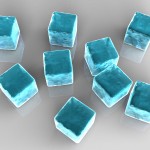
Clink click! These ice cube PowerPoint backgrounds are cool – literally. We had to take the shots pretty quickly before they started melting and making a mess everywhere.
As always, you can download them all and use them in your own presentations. Click on the images to open the backgrounds up in PowerPoint, save them to your computer and then amend them to fit your needs.
We’ve got light backgrounds (use dark text on them) and dark backgrounds too (use light coloured text on those).

Cogs PowerPoint Backgrounds

Cogs PowerPoint Background 1Cogs PowerPoint Background 2Cogs PowerPoint Background 3Cogs PowerPoint Background 4Cogs PowerPoint Background 5Cogs PowerPoint Background 6Cogs PowerPoint Background 7Cogs PowerPoint Background 8Cogs PowerPoint Background 9Cogs PowerPoint Background 10Cogs PowerPoint Background 11Cogs PowerPoint Background 12[subscribe2]

These cogs are so smooth and shiny, you’ll want to squeeze them out of your PowerPoint presentations into your pocket so you can jangle them like loose change! We’ve got different colours, different angles and perspectives and different positioning. All are high quality photos. We had to get our smallest designer to use his tiniest camera to get down real close to these cogs; that’s why they appear so big. They’re not; he’s just very close to them.

Feel free to download our Cogs PowerPoint backgrounds by opening them up in your own presentation: just click on any (or probably all) of the images above. A presentation will open with your chosen cogs as backgrounds, and from there you can save it to your computer and add your own finishing touches.

We’ve even made a lighter coloured overlay on some of the backgrounds that need one, so that you can make your text more readable.

[subscribe2]

Maze PowerPoint Backgrounds

Maze PowerPoint Background 1

Maze PowerPoint Background 2

Maze PowerPoint Background 4

Maze PowerPoint Background 5

Maze PowerPoint Background 6

Maze PowerPoint Background 7

Maze PowerPoint Background 8

Maze PowerPoint Background 9

Maze PowerPoint Background 10

Maze PowerPoint Background 11

Maze PowerPoint Background 12

Maze PowerPoint Background 13

Maze PowerPoint Background 14

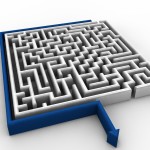
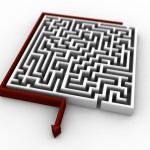
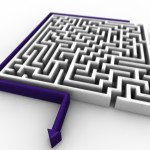
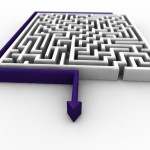
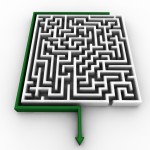
We’ve got some a-maze-ing backgrounds in this edition of Free PowerPoint Backgrounds! All angles are covered, different delicious colours are used and huge resolutions are employed to tempt you. Huge resolutions mean that there is less image degradation when you have to resize a background to fit the slide, so these backgrounds are of a very high quality indeed.

These maze PowerPoint backgrounds symbolise how lost our designers are, both emotionally and in their dead end careers working for me. Ho hum. But they do look good, though, don’t they?

Help our designers feel a little less lost by clicking on their offerings and downloading them to your PC. You can then amend these templates to deliver your own presentations. When you click on an image, a template with that background will open in PowerPoint for your amending pleasure.

Paperclips PowerPoint Backgrounds

Paperclips PowerPoint Background 1

Paperclips PowerPoint Background 2

Paperclips PowerPoint Background 3

Paperclips PowerPoint Background 4

Paperclips PowerPoint Background 5

Paperclips PowerPoint Background 6

Paperclips PowerPoint Background 7

Paperclips PowerPoint Background 8

Paperclips PowerPoint Background 9

Paperclips PowerPoint Background 10

Paperclips PowerPoint Background 11

Paperclips PowerPoint Background 12

Paperclips PowerPoint Background 13

Paperclips PowerPoint Background 14

Paperclips PowerPoint Background 15

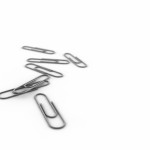
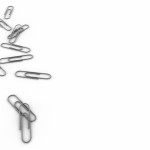
When our obsessive designers get fixated on something, it’s hard to distract them away from it and encourage them to re-engage with society and the “real world”. One benefit of their recent fixation on paperclips, though, is that we get to download a large selection of paperclips PowerPoint backgrounds. As usual, the valued (er… sectioned) members of our team have shot the paperclips from every conceivable angle (and some inconceivable ones, too) to really bring the flavour out. Unfortunately, there were tears shed when we confiscated their toys and sent them to bed.

Like minded people who are obssessive about their stationery will be over the moon when they download these high quality PowerPoint backgrounds. And let me tell you, it took our creatives a lot of time and effort building these human sized paperclips! You won’t believe how heavy they are. Amos got trapped beneath one yesterday, like a mouse in a trap… but that’s another tale of woe.

Click on one of the images above to open up the background in PowerPoint, and then save it to your computer straight away. That way you know that any changes you make will be on your own copy of these beautiful backgrounds. You can then amend them how you want, for use in your own presentations only! You can download them all if you like.

Chess PowerPoint Backgrounds

Chess PowerPoint Background 1

Chess PowerPoint Background 2

Chess PowerPoint Background 3

Chess PowerPoint Background 4

Chess PowerPoint Background 5

Chess PowerPoint Background 6

Chess PowerPoint Background 7

Chess PowerPoint Background 8

Chess PowerPoint Background 9

Chess PowerPoint Background 10

Chess PowerPoint Background 11

Chess PowerPoint Background 12

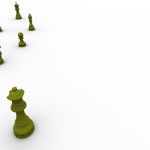
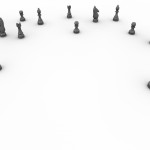
It has been rumoured (not by me) that our designers are a cerebral lot, and it’s well known that  chess is a game played by intellectuals. You might make the intellectual leap/assumption that our designers are all brainy because they have created a plethora of chess PowerPoint backgrounds.

Don’t be fooled.

They are attention seekers, they know that you play chess, and so they created a selection of beautiful chess backgrounds. That’s all there is to it.

And, of course, they do have obvious talent when it comes to creating stunning PowerPoint backgrounds. If Garry Kasparov had said these words, we would have been over the moon: there are no better backgrounds than those published by powerpoint-backgrounds.net. Garry didn’t actually say that, but we wish he had. That would have been fantastic.

But here we are with 12 luxury PowerPoint backgrounds to download – how do we do that?  You know the drill when it comes to downloading our backgrounds: click on an image you like and it will open up the presentation/template in PowerPoint – then save it to your PC. From there you can add your own text and amend the template how you like. It’s up to you.

Have fun!

Olympic Rings PowerPoint Backgrounds

Olympic Rings PowerPoint Background 1

Olympic Rings PowerPoint Background 2

Olympic Rings PowerPoint Background 3

Olympic Rings PowerPoint Background 4

Olympic Rings PowerPoint Background 5

Olympic Rings PowerPoint Background 6

Olympic Rings PowerPoint Background 7

Olympic Rings PowerPoint Background 8

Olympic Rings PowerPoint Background 9

Olympic Rings PowerPoint Background 10

Olympic Rings PowerPoint Background 11

Olympic Rings PowerPoint Background 12

Olympic Rings PowerPoint Background 13

Olympic Rings PowerPoint Background 14

Olympic Rings PowerPoint Background 15

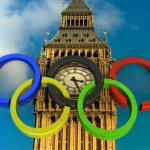
It seems that you can’t get enough of our PowerPoint backgrounds for the Olympics, so here is our new collection: Olympic Rings PowerPoint Backgrounds. Unlike these backgrounds, the current set of Olympic rings are a little more chunky, a little less rounded (a bit like the designers who created them!). They’ve got it all (the backgrounds, not the designers): reflections, depth of field, bright colours – and a big clock.

On some of the images, we’ve thoughtfully placed the rings right at the top so you have more space for the content on your PowerPoint slides. We’re really looking after you. The ones with the images at the top work really well as the olympic rings act like a header on those.

Did you know that Big Ben chimed non-stop for three minutes when the London 2012 Olympics officially started? Well, that’s why we’ve got the famous clock on some of the backgrounds.

You can download these backgrounds by right clicking on each thumbnail image and selecting “save as” to save them to your PC. From there, you can amend them for your own presentations. Or you can just left click on them to open them up immediately in PowerPoint (don’t forget to save them to your computer, though).

Our images are large, so there’ll be no degradation of quality as they stretch to fit the PowerPoint background.


Lego PowerPoint Backgrounds

Lego PowerPoint Background 1

Lego PowerPoint Background 2

Lego PowerPoint Background 3

Lego PowerPoint Background 4

Lego PowerPoint Background 5

Lego PowerPoint Background 6

Lego PowerPoint Background 7

Lego PowerPoint Background 8

Lego PowerPoint Background 9

Lego PowerPoint Background 10

Lego PowerPoint Background 11

Lego PowerPoint Background 12

Get a load of all these Lego PowerPoint Backgrounds. There’s enough lego here to build a pyramid! And, with our designers being as thorough as they are, they’ve shot the lego pile from all angles. They were in their collective element.

Get them while they’re hot: download these backgrounds by clicking on them to open them in PowerPoint, and then save them to your PC. Alternatively, right click on an image and select “Save Target As”, or whichever option allows your browser to save the target of the link. You can then amend them how you see fit, ready for your future presentations.

Question: have you ever seen an orange lego brick?

Challenge: ask someone at work “if they like lego”. Watch your personal space grow.